Email-first professionals
Requests and follow-ups all live in email; copying into another tool is painful.
No copy-paste hop—your inbox stays the board
A Chrome extension for tasks, logs, and categories per email thread.
Stay in your inbox—move requests forward without jumping to another task SaaS.
Chrome extension (Manifest V3) · Free plan with limits · task-mail.jp
Problem
Solution
TaskMail helps you manage tasks, logs, and categories tied to threads—inside the Gmail you open every day.
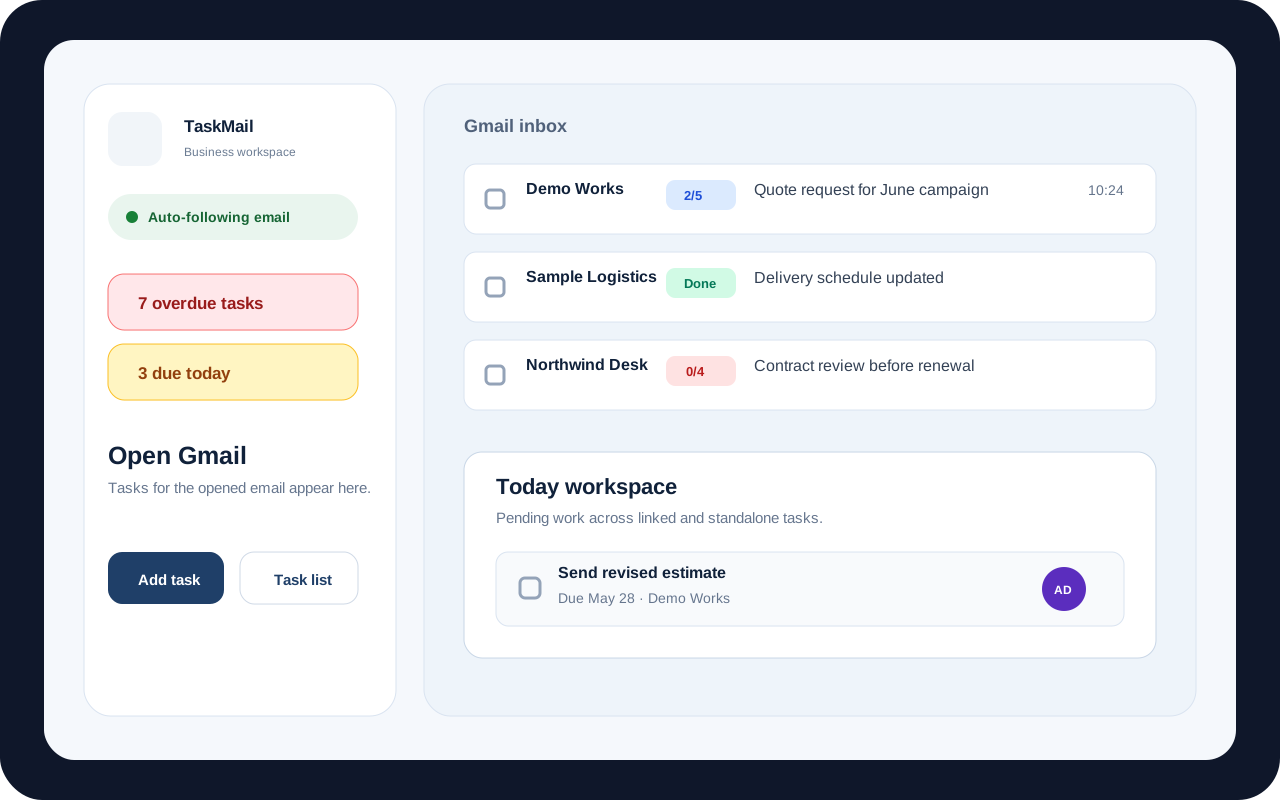
From inbox badges to the thread panel and the extension side panel—follow the real UI in one pass.
Actual UI
Skip the extra task tab: update progress on the same screen as the message. Use this clip to map the main paths first.
Features
Content scripts in Gmail plus a side panel from the extension icon connect tasks and mail—without overstating capabilities.
See progress per thread at a glance
Badges show task progress for a thread (e.g. completed vs total). Open the side panel from actions to focus the right task.
Tasks tied to the thread you’re viewing
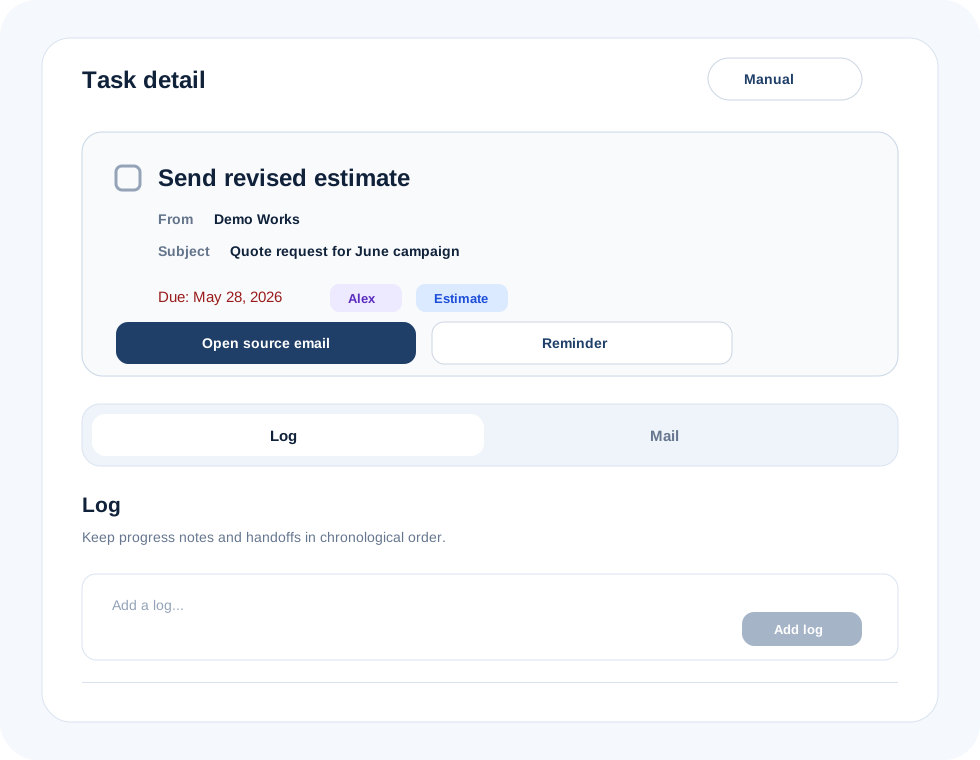
Set status (not started / in progress / done), notes, activity logs, categories, due dates, and assignees per thread.
Reflect state with TaskMail labels
Create and apply user labels (e.g. incomplete / complete) so state is easier to track in Gmail (depends on Gmail permissions).
Switch workspaces, invite, billing entry points
Switch personal vs team workspaces, send invites, and reach billing flows from the in-Gmail panel for owners and members.
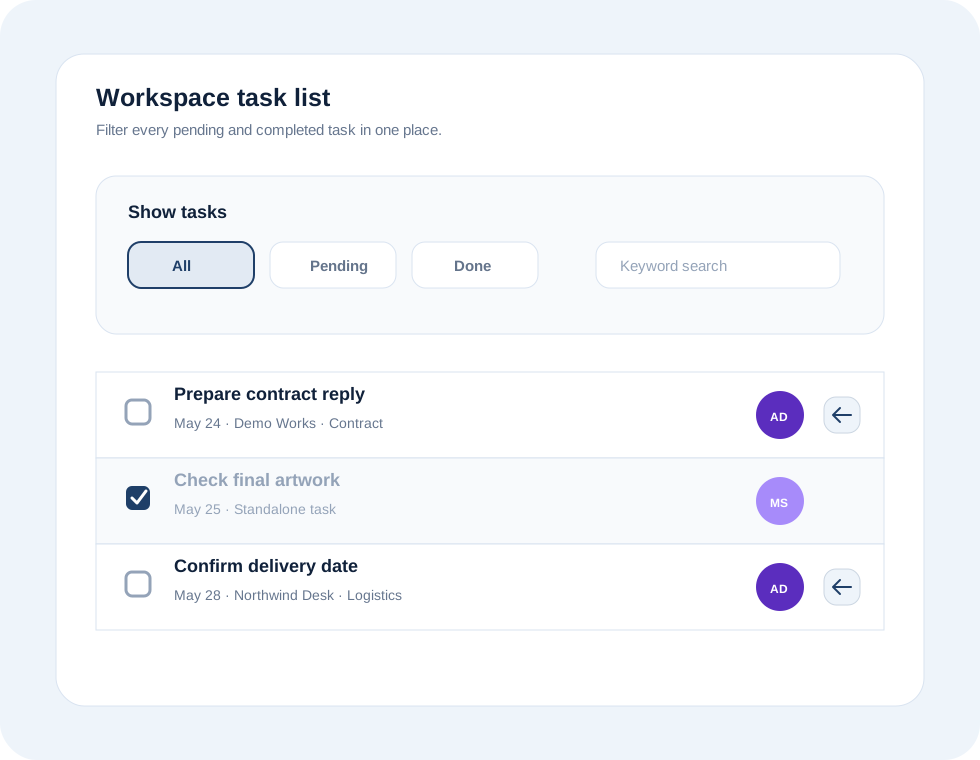
Includes tasks not tied to an email
Workspace-wide task list, including “free” tasks that aren’t linked to a message.
Templates and billing in one place
Team invites and members, grouped reply snippets, profile and categories, and billing / plan management (Stripe portal).
Supabase auth, personal and team
Sign in with email OTP or Google login, depending on implementation. Switch personal and team workspaces; invite by email.
Prevent wrong-account linking
Key Gmail features activate when the Chrome profile’s Google account matches the account shown in the Gmail tab.
Inbox
Thread-level task state shows in badges so you can move forward without losing context. Email-heavy work stays easier to scan.
How it works
Add TaskMail from the store and sign in—then manage tasks right in Gmail.
Find TaskMail in the Chrome Web Store and click Add to Chrome. You keep using the same browser you already use every day.
Sign in with a one-time code sent to your email, or sign in with your Google account—whichever you’re offered on screen.
From progress hints in your inbox or the panel beside an open message, link tasks to that email and update progress or notes.
Thread view
Update status, notes, and activity per thread without copying email into another tool. Stay in your reading flow all the way to done.
Use cases
How we frame the value for different workflows.
Requests and follow-ups all live in email; copying into another tool is painful.
No copy-paste hop—your inbox stays the board
Want to share per-thread progress on who did what and how far it’s done.
Thread tasks + logs, team workspaces, inbox visibility
Treat a thread as a case and reply faster with fewer mistakes.
Thread linking, categories, snippets for replies
Want to skip heavy onboarding for Notion, Asana, and similar.
Install and stay in Gmail; invite to share
Want inbox zero or GTD-style flow inside Gmail.
Badges, labels, and the thread panel for clarity
Plans
Start on the free plan. Compare limits, monthly prices, and team seats in one table on the pricing page.
Tap the button above for the full breakdown.
Data is primarily stored on Supabase; payments are processed by Stripe. We do not offer a feature to store full email bodies for reading. The Gmail API is used for identifiers, subjects, and label operations needed for task management.
FAQ
We target Gmail in Google Chrome at mail.google.com.
We ship a Chrome extension (Manifest V3); other browsers are not supported.
You can try core features with limits on tasks, logs, snippets, teams, and members. See in-app copy for details.
Create a team workspace and invite members by email. Owner and member capabilities differ; free vs paid limits apply.
We require the Chrome profile’s Google account to match the Gmail tab to avoid Gmail API actions on the wrong account.
We do not provide a feature to fetch and store full bodies for reading. See the Privacy Policy for metadata-focused use.
From Billing & plan management in the extension, open Stripe Checkout or the customer portal.
Individual vs team framing differs. See the pricing page and in-app displays for seats and limits.
Try core features on the free plan.
Add TaskMail from the Chrome Web Store and start in your inbox.
Manifest V3 · task-mail.jp